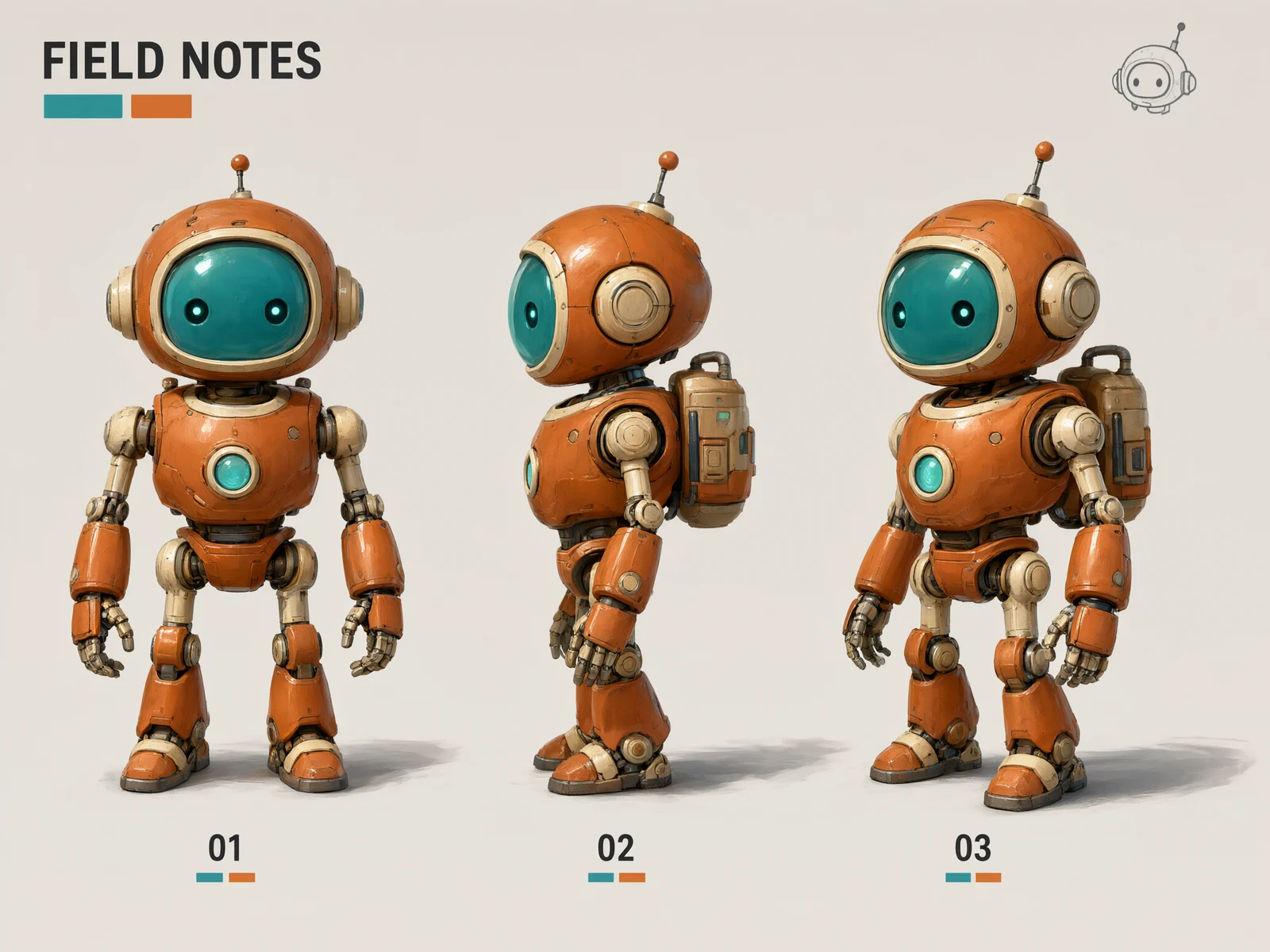
A sophisticated original character-design sheet featuring the same friendly retro exploration robot in three clearly separated views: front, side and three-quarter. Consistent burnt-orange armored body, round teal glass face with two small glowing eyes, cream joints, a tiny backpack and articulated hands. Richly detailed polished 3D concept art on a warm light gray background, crisp contact shadows, painterly gouache annotations and teal-orange accent blocks. Exact clean title FIELD NOTES along the top, and only the labels 01, 02, 03 below the three robot poses. Each robot must have the same proportions, features and colors. Refined professional game-design presentation, no logos, no copyrighted characters. Horizontal 4:3 composition.
Getting started with Qwen Image 3.0 Pro
A starting point
Repeat the features that matter across every view, such as the orange armor, teal face and small backpack. Label the views only if you need them.
Useful to know
Choose 1K or 2K; 2K uses more credits. Up to three reference images are supported, with an additional credit charge for each.
Settings and credits on Sevli
1K / 2KUp to 3 reference images
Resolution
Generate · credits / image
Edit with 1 reference · credits / image
1K
29
31
2K
58
60
Table quotes are for one image at 1:1, Medium where available. A different ratio, quality, image count or number of references can change the quote. Check the composer before submitting.
Questions about Qwen Image 3.0 Pro
Where can I use Qwen Image 3.0 Pro online?
You can use Qwen Image 3.0 Pro on Sevli at sevli.app. This page opens the generator with Qwen Image 3.0 Pro selected. Sign in, enter a prompt or upload a reference, check the credit quote, and generate.
How many credits does Qwen Image 3.0 Pro use?
A default 1K, 1:1 image without references uses 29 credits on Sevli. Other settings can change the quote; see the settings table and the composer for your request.
Can I edit an image with Qwen Image 3.0 Pro?
Yes. Upload a reference image and describe what to change and what to preserve. This integration accepts up to 3 references. Reference inputs may change the credit quote.
Will my image have a watermark?
Images from accounts that have not made a qualifying payment carry the Sevli watermark. Accounts with a completed qualifying subscription or credit-pack payment receive images without the visible Sevli watermark. Provider-specific provenance markers may remain.