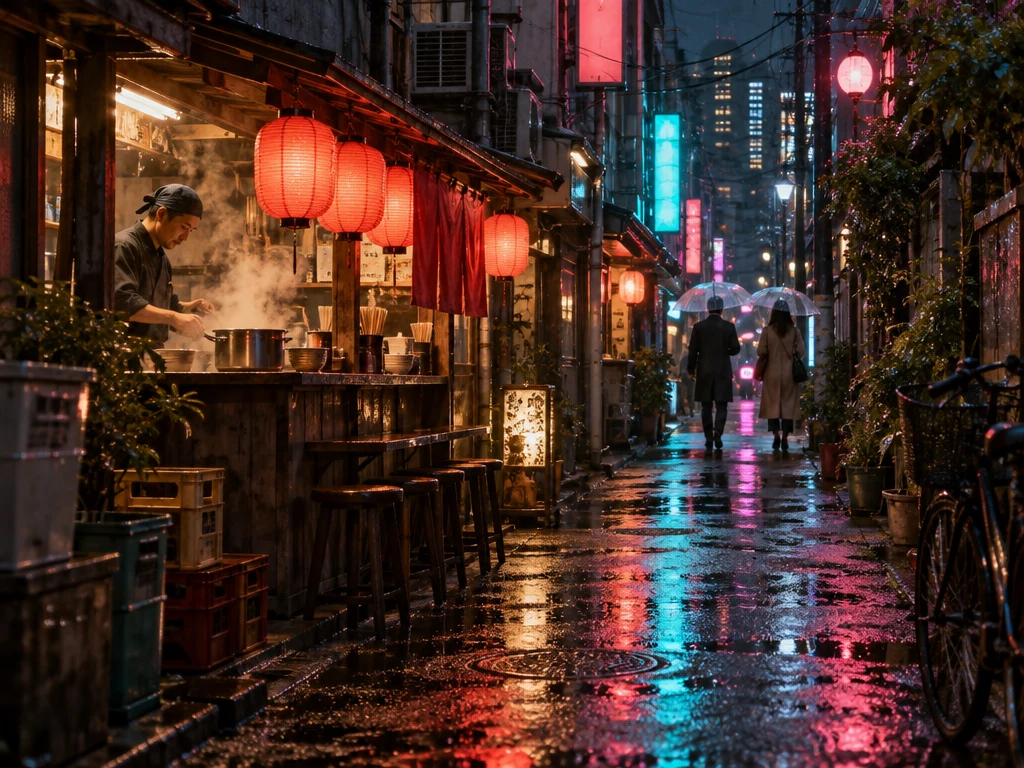
Cinematic street photography in a narrow fictional Japanese city alley after rain at night. A tiny warmly lit noodle stall, red paper lanterns, turquoise and magenta neon reflected in the wet pavement, steam drifting from a pot, two distant fully clothed adults under clear umbrellas. Rich layered depth, beautiful atmospheric contrast, authentic lens reflections, intricate street details and realistic natural materials. Eye-level composition, quiet narrative mood. Neon signs are abstract shapes with no readable lettering. No logos. Horizontal 4:3 composition.
Getting started with GPT Image 2.5 Sunburst
A starting point
For an edit, say what should change and what should stay. For example, keep the shop and people but turn the rainy night into a sunny afternoon.
Useful to know
This option shares Flare’s current credit schedule. An edit with reference images can cost more than a new image from text.
Settings and credits on Sevli
1K / 2K / 4KUp to 6 reference images
Resolution
Generate · credits / image
Edit with 1 reference · credits / image
1K
12
22
2K
23
33
4K
37
47
Table quotes are for one image at 1:1, Medium where available. A different ratio, quality, image count or number of references can change the quote. Check the composer before submitting.
Questions about GPT Image 2.5 Sunburst
Where can I use GPT Image 2.5 Sunburst online?
You can use GPT Image 2.5 Sunburst on Sevli at sevli.app. This page opens the generator with GPT Image 2.5 Sunburst selected. Sign in, enter a prompt or upload a reference, check the credit quote, and generate.
How many credits does GPT Image 2.5 Sunburst use?
A default 1K, 1:1 image without references uses 12 credits on Sevli. Other settings can change the quote; see the settings table and the composer for your request.
Can I edit an image with GPT Image 2.5 Sunburst?
Yes. Upload a reference image and describe what to change and what to preserve. This integration accepts up to 6 references. Reference inputs may change the credit quote.
Will my image have a watermark?
Images from accounts that have not made a qualifying payment carry the Sevli watermark. Accounts with a completed qualifying subscription or credit-pack payment receive images without the visible Sevli watermark. Provider-specific provenance markers may remain.